Capitalyric Capitalyric
  • Accueil 
  • Besoin d’un crédit ? 
  • Qui sommes-nous ? 
  • Nous contacter 
  • Français 
    • Français 
    • English 
    • Deutsch 
    • Dansk 
    • Svenska 
    • Español 
    • Hrvatski 
    • Italiano 
    • Eesti 
Loading...
  1. Home
  2. Docy WordPress Theme
  3. Documentation
  4. How to create Changelogs
Updated on juin 8, 2021
Docy WordPress Theme
  • Icône de dossier fermée Icône d’ouverture de dossierGetting Started
    • Theme Installation
    • Plugins Installation
    • Demo Import
  • Icône de dossier fermée Icône d’ouverture de dossierDocy Options
    • Page Options
    • Theme Settings
  • Icône de dossier fermée Icône d’ouverture de dossierDocumentation
    • Create Onepage Documentation
    • Footnote
    • User Feedback
    • Creating/Editing Documentation
    • How to create Changelogs
  • Icône de dossier fermée Icône d’ouverture de dossierBlog Part
    • TOC Layout
  • Icône de dossier fermée Icône d’ouverture de dossierTips
    • Updating The Theme
    • Optimize Images
    • Language Translations
    • Use the theme’s list style with Gutenberg block
    • How to create Sign in and Sign up pages
  • Icône de dossier fermée Icône d’ouverture de dossierUsing Shortcodes
    • [direction]
    • Conditional Content [conditional_data]
    • [terms]
  • Icône de dossier fermée Icône d’ouverture de dossierFAQ
    • How to Paginate a Post?
    • How to set the site’s favicon?
    • How to change the author’s avatar?
    • How to update premium plugins?
    • How to apply custom CSS code.

How to create Changelogs

Temps estimé :2 minutes 413 vues

Changelogs

A changelog is a log or record of all notable changes made to a project. The project is often a website or software project, and the changelog usually includes records of changes such as bug fixes, new features, etc. Some open-source projects include a changelog as one of the top-level files in their distribution.

A changelog has historically included all changes made to a project. The “Keep a Changelog” site instead advocates that a changelog does not include all changes, but that it should instead contain “a curated, chronologically ordered list of notable changes for each version of a project” and should not be a “dump” of a git log “because this helps nobody”.

Changelogs in Docy

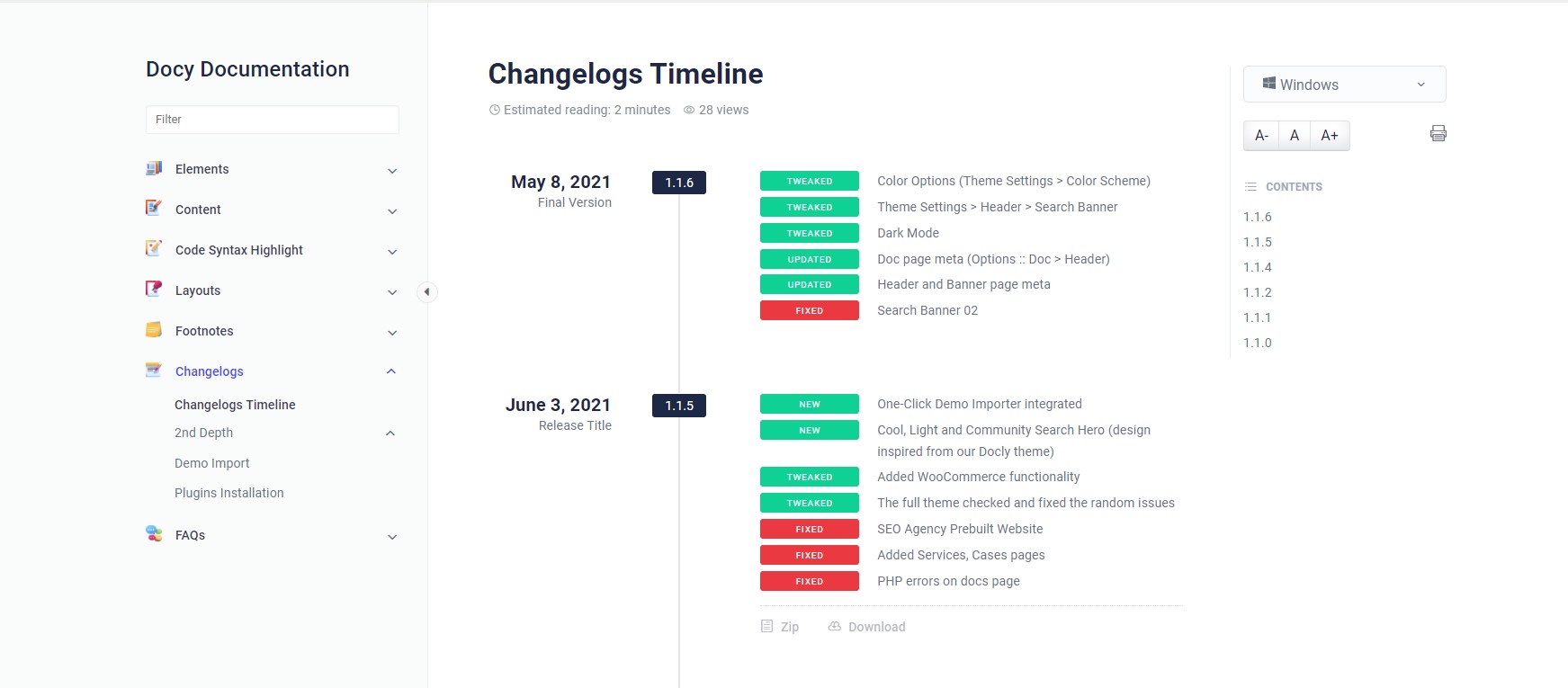
We bought you an interactive and useful changelogs system for you in the Docy WordPress theme. See the design of the Changelogs below-

Changelogs design on Docy Theme Demo

How to create Changelogs

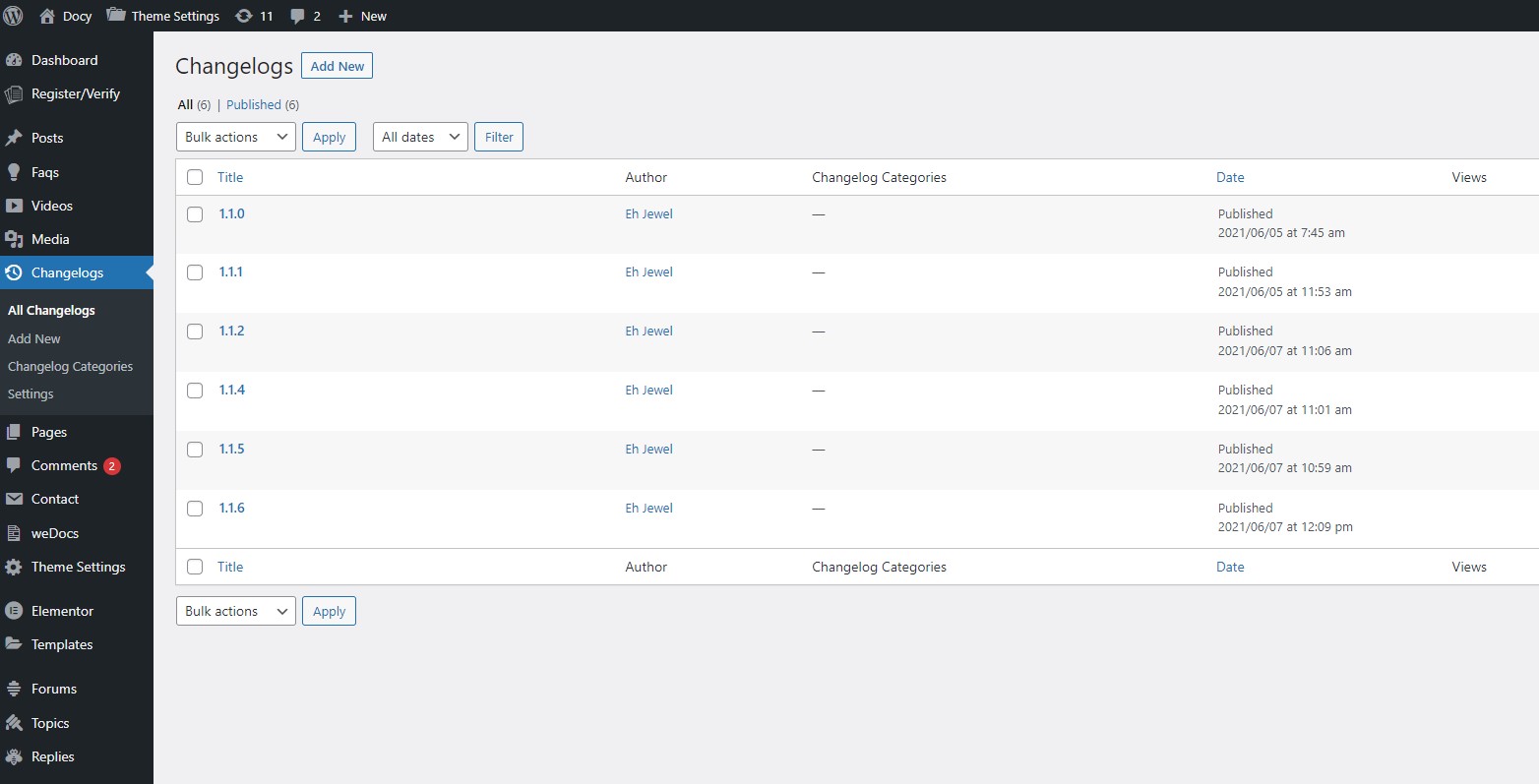
You will find a custom post type named “Changelogs” in your WordPress admin dashboard. 

After adding changelogs, you would need to display them on the website frontend.  There is available an Elementor widget named Changelogs which will display the changelogs. Insert that widget to display your changelogs. 
Still stuck? How can we help?

How can we help?

Was this page helpful? Oui 2 Non 1

Leave a Comment Annuler la réponse

Share this Doc

How to create Changelogs

Or copy link

Icône du presse-papiers
CONTENTS

Powered By EazyDocs

© 2017 Tous droits réservés par kreditonex